Archive
Don’t Just Throw It Away!
 Many years ago, I was getting ready to leave for work when the neighbor next door came out with an old Apple /// and propped it next the the telephone pole. He was throwing it away because at that time, there were few options for folks to recycle their used electronics. Now any of you who have been around for awhile and know what an Apple /// is, you will also know it was a really heavy computer. Steve Jobs HATES fans – and tho he’s mellowed in his old age, there was a time he never even allowed a fan near any of his computers.
That’s why the /// didn’t have a fan – and in fact, was “anchored” literally by a heat sink manufactured in a Midwestern auto engine factory. It made a great boat anchor once its useful days were over.
How Do You Know It’s Time for a New Computer?
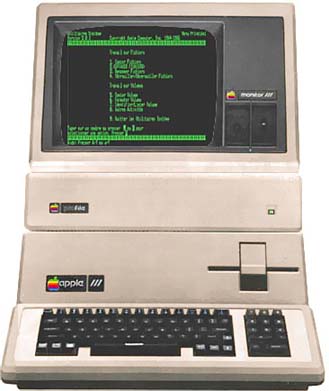
(Updated 3/16/2011 to fix photo links)
When I first started working with computers – my old Apple /// (like the one at left right) back in the early 80s – computer users groups like Washington Apple Pi had already sprung up across the country. Their motto at the time was “Users Helping Users.” WAP was a club whose members wanted to learn more about how their computers – Apple II series, ///, and increasingly, Macintosh – worked. They really wanted to know what made them tick – not just how to upgrade them by adding memory, a new, larger hard drive, new graphics or other internal cards. They were willing to spend the time, effort – and money – to do that.
Today, computers have, for all intents and purposes, become appliances. They are SPECIAL appliances of course, but most folks are not interested in opening the hood and tinkering. They just want to turn them on. They expect them to work.
 Users today still may want to add memory or a new hard drive, but Apple has made it pretty difficult for the user to do much of that except for their higher-end MacPro models. At the Clinic, we usually suggest external drives when that’s possible – they come in a wide range of sizes, USB and Firewire are on virtually every Mac – and the price is reasonable. But we do have the tools and expertise to dig into the internal workings when necessary.
The question is – when should you replace what you have? When is it time to spend the money for a new Mac? We get those kinds of questions all the time and each answer is really tailored to the individual owner.
But in general, If you have an older PowerPC Mac you are a prime candidate unless you are happy with what you have and the programs continue to do what you need them to do. Apple and most vendors no longer support the PPC platform, but most of the later-model machines – towers and laptops – remain highly capable and able to do what you need. If there’s a problem, we have the tools and expertise to help (that’s us working at left). If we don’t we’ll tell you up front.
The Macs of today are Intel based and OS X continues to grow in power and ability. Macs can run both Windows and OSX easily at the same time. In the future, OSX may well morph together in some form with the iOS we all know from the iPhone/iPod Touch and iPad. There are rumors Apple will stop including optical drives in all their machines as well. If that happens, third party vendors will be making lots of money because folks will still want those peripherals. I certainly do even with the App Store.
So while the decision about when to buy a new (or refurbished) Intel Mac is a very personal one, there will come a time when:
- Your old machine just won’t work anymore;
- When you are really ready to move up for the power, speed and improved graphics;
- You want a Mac but still need to run Windows;
- You need to run the latest version of Office or other software;
- You need to do video editing;
- You want a better computing experience.
As one of the volunteers at MacRecycleClinic I can tell you we have a group of folks who are passionate about helping you keep your Macintosh working – but we are also happy to provide suggestions about your next step should you want to upgrade to a new computer.
Resources:
MacrecycleClinic Home Page
Apple Home Page
Montgomery County: Shady Grove Transfer Station (to recycle older computers)
Let’s Start at the Very Beginning…

(From an original post to Tumblr)
I joined Washington Apple Pi or WAP for short) in 1983 or so. Like many, I needed some support from fellow users and WAP was the answer. (That’s me second from right with a group of SARAsaurs as we were called – the /// was named after the designer’s daughter.)
A group of us started holding tech sessions on Tuesday nights – folks would bring their sick computers in for repair help, to ask questions, get upgrades – you name it. Some left old machines behind. And that was the start of our recycling efforts.
 Early-on, the focus was on the Apple II – Apple’s first real success story. We tried to recycle many donations to schools that did not have any – like the two elementary schools in West Virginia in 1996.That’s a picture at left of all the computer equipment ready to be set up in a lab.
As Apple moved from IIs to Macs, we slowly made the switch ourselves as the mix of donations changed. The passion was still there – we just had a different machine to work with. There is a real challenge in taking a donated machine and turning it into a tool that is useful again. But for most of us, there is just great satisfaction and joy watching the faces of those who receive our donations.
MacRecycleClinic: Finally Back in Business
Note: I am consolidating my RecyleYourMac blog to WordPress from Tumblr. This original post was actually on TwitWall.
Originally published: September 9, 2010

Marvin Memorial Methodist Church in Silver Spring. Drive in on this side - University Boulevard. There are two automobile entrances on this side and you'll exit from here as well. Parking lot is to the right of the church, with handicapped parking in front. Entrance to the Clinic is on the right side of the main church entrance. You will literally walk into the Clinic space - no climbing steps or long walks. If you have a heavy computer, come get us first and we'll help you bring your Mac in.
It’s exciting to tell you that we are finally back in business – helping Mac (and even Apple) users in the Washington, DC area with their Mac problems. MacRecycleClinic is the new name for the old “Tuesday Night Crew” that was hosted by Washington Apple Pi in Rockville for many, many years.
As fewer folks joined user groups, WAP downsized to the point where we no longer had space to work so we took a step back, put our tools into storage and started looking for new space.
It took awhile – but we have found a new, welcoming home at Marvin Memorial Methodist Church across from Blair High School in the Four Corners area of Silver Spring. This is an ideal location for us and working with the church, we have big plans on a number of fronts.
1) We are going to establish a Mac lab for Blair students to use for after-school homework.
2) We hope to establish ties with Blair to train students to repair and help us recycle Macs.
3) We have already established some ties with various Veterans groups and will work to recycle Macs into the hands and homes of our Wounded Warriors. These are special men and women and we look forward to honoring them by helping them have the tools they need to move on to productive lives.
4) We will continue to work with Mac (and Apple) owners in the Washington region who need a little one-on-one help in a friendly atmosphere. As a non-profit, all fees are tax-deductable as well.
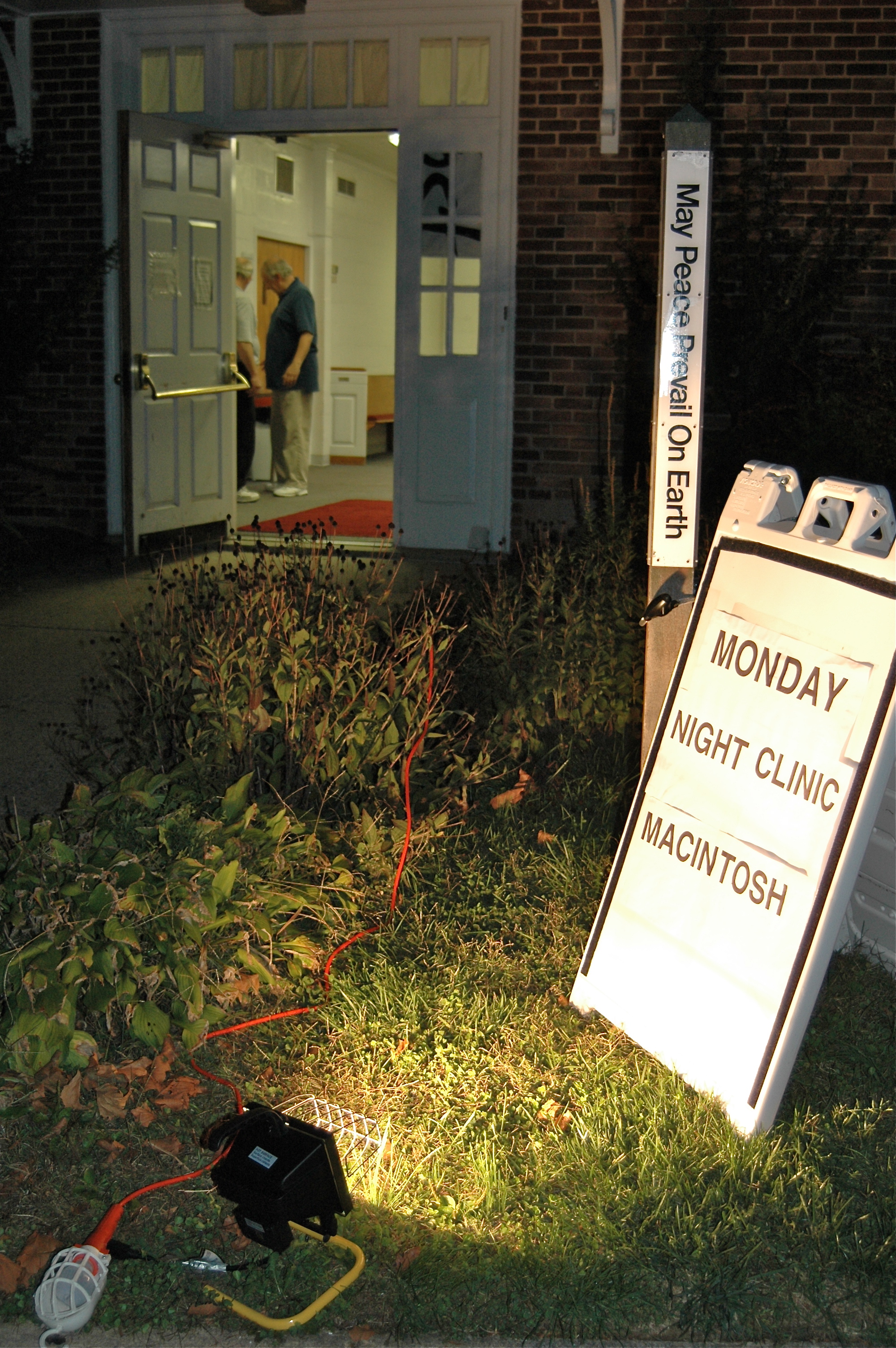
5) Clinics will now be on Monday nights from 7 until 9 PM or so.
Please check out our website for more information, instructions on how to get to Marvin Church, hours of operation, fees and more. And if you’re interested in working with us, let us know!
From time-to-time, we’ll post blog entries here to let you know what’s going on, some of the challenges with repairs we’ve faced (or are facing!) and maybe even to ask for your help or suggestions.
Website: http://www.macrecycleclinic.org/site/
Twitter: MacRecyclClinic
Directions to Marvin Church: http://www.gbgm-umc.org/marvinchurch/directions.asp
Map: http://bit.ly/aaTbH9
You can leave a message on our new phone at: 301-593-4004 or email us at office@macrecycleclinic.org
MacRecycleClinic Photos


 iFixit Blog
- 3D Printing Spare Parts Is Cool But Not A Silver Bullet March 5, 2026
- Lenovo’s New ThinkPads Score 10/10 for Repairability March 3, 2026
- TMI about TMR March 2, 2026
- Screens, Battery Packs, and Webservers: The Total Hackability of Vape Pens February 28, 2026
- Buyer Beware: Sony’s XM6 Might Be Your Next $330 Paperweight February 27, 2026